Smart Business Contact Management — Powered by AI

Manage Your Contacts
Smarter with AI

Scan business cards instantly, share digital profiles, organise by company hierarchy, and never lose a contact again — all in one beautiful platform.

contacts.ttct.net/contacts
124
Total Contacts
18
This Month
8
Tags
A
Alex Morrison
CEO — TechVision
S
Sarah Chen
Marketing Dir — Nova Corp
R
Ravi Patel
Founder — Startify
L
Layla Hassan
CFO — FinEdge Ltd
10,000+
Contacts Managed
AI-Powered
Card Scanner
100%
Role-Based Access
One Link
Digital xCard
Features

Everything You Need to Manage Business Contacts

From AI-powered card scanning to shareable digital profiles — xCard is built for modern professionals.

AI Business Card Scanner

Snap a photo of any visiting card. Our AI (Gemini / GPT-4o) instantly extracts the name, phone, email, address, social links — and even detects and crops the company logo automatically.

Gemini AI GPT-4o Logo Detection

Digital xCard Profiles

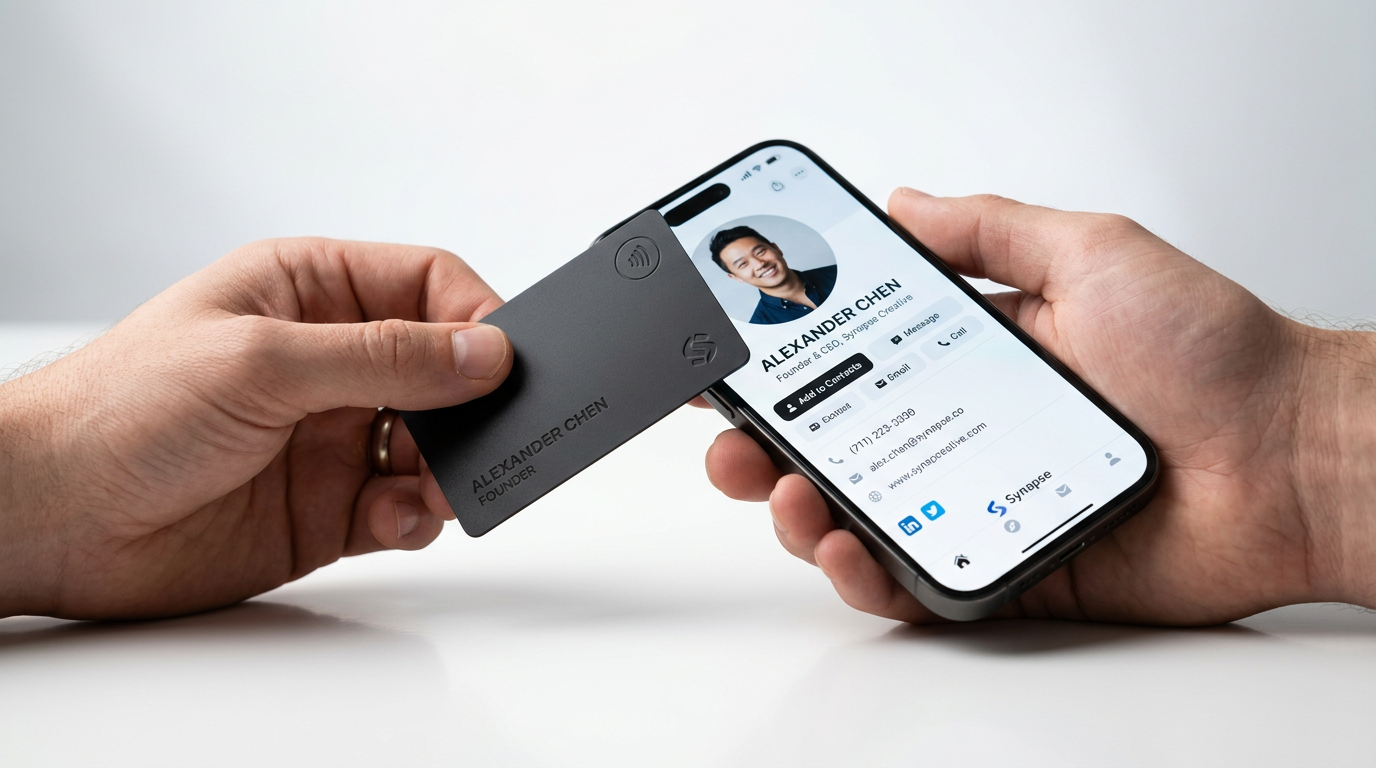
Every contact gets a beautiful, publicly shareable profile page — the xCard. Share via link or QR code. Recipients can view all details and save the contact directly to their phone.

QR Code Public Link Save to Phone

Organisation Hierarchy

Structure your network with a three-tier hierarchy — Organisation → Company → Users. Each level has its own admin role, keeping data scoped and controlled.

Multi-tenant Role-based

Bulk Import & Export

Import hundreds of contacts at once from an Excel/CSV file. Export your full contact list or filtered reports as XLSX with one click — perfect for migrations and backups.

Excel Import CSV Export

Tags, Filters & Reports

Organise contacts with AI-suggested tags. Filter by organisation, company, tags, or date. Generate and export detailed reports with the exact contacts you need.

AI Tags Reports

vCard & Save to Phone

Every xCard includes a "Save to Phone" button that downloads a standard .vcf file. Recipients can add the contact to their iPhone, Android, or any contact app instantly.

iOS & Android .vcf Format
How It Works

Up and Running in Minutes

No complex setup. Three simple steps and you're managing contacts like a pro.

1

Register & Get Approved

Sign up with your email. If your organisation is already registered, select it — an admin approves your account. First user becomes Super Admin automatically.

2

Add or Scan Contacts

Create contacts manually, import from Excel, or just snap a photo of a business card. The AI reads everything — name, phone, email, address, social links — in seconds.

3

Share via xCard Link

Click the xCard button next to any contact. Share the link or QR code — recipients see a beautiful profile page and can save the contact directly to their phone.

AI-Powered

Scan Any Business Card
in 3 Seconds

Manually typing contact details from business cards is slow and error-prone. With xCard, just take a photo — our AI engine reads the card and fills in every field for you.

  • Extracts all fields automatically
    Name, phone, email, address, website, social links — all filled in seconds.
  • Detects & crops the company logo
    The AI identifies the brand logo on the card and crops it to use as the contact's logo.
  • AI-suggests relevant tags
    Tags like "Real Estate", "IT", "Healthcare" are automatically suggested based on what the AI reads.
  • Works on mobile & desktop
    Scan from your phone camera on the dashboard, or upload an image on any device.
Try AI Scan Now
Scan with AI
3 Review & Save
TC
Logo detected from card
Use this as the company logo?
✓ Yes, use it Skip
Company Name
TechCore Solutions Sdn Bhd
Contact Person
Ahmad Farhan bin Zulkifli
Mobile Number
+60 12-345 6789
Email
farhan@techcore.com.my
Website
www.techcore.com.my
AI Suggested Tags
IT Solutions Software Consulting Technology
AM
Alex Morrison
Chief Executive Officer
TechVision Global Sdn Bhd
TechVision Asia Pacific
Call
WhatsApp
Email
vCard
+60 12-345 6789
alex@techvision.com
Kuala Lumpur, Malaysia
www.techvision.com
xCard

Your Contact as a
Digital Business Card

Every contact stored in Tamimah gets its own beautiful, publicly accessible profile page — the xCard. No app needed to view it. Just share the link.

QR Code Share
Click "xCard" next to any contact to see a QR code and shareable URL instantly.
Publicly accessible
The xCard page requires no login — perfect for sharing at events or on social media.
Always up to date
When you update a contact in Tamimah, the xCard updates automatically.
Save to Phone
The built-in vCard download lets anyone save the contact to their phone in one tap.
Create Your First xCard
Organisation Structure

Built for Teams of All Sizes

A three-tier hierarchy keeps data scoped to the right people, with granular role-based access at every level.

Super Admin
Full Access
Manages all organisations, companies, users, and contacts
Organisation Admin
Organisation
Manages all companies and users within their organisation
Company Admin
Company A
Manages users in their company
Company Admin
Company B
Manages users in their company
Company Admin
Company C
Manages users in their company
Users
Individual Users
Manage their own contacts. Auto-linked to their company & organisation.
Role Contacts Users Companies Organisations Approve
Super Admin
Org Admin
Company Admin
User
Why xCard

The Smarter Way to Manage Business Relationships

Save Hours Every Week

AI scans a business card in under 3 seconds. No more manual data entry, no more lost cards.

🌐

Share Contacts Anywhere

The xCard link works on any device, any browser, no app required — perfect for networking events.

🔐

Enterprise-Grade Security

Role-based access ensures each team member only sees the contacts relevant to them.

📊

Data You Can Act On

Advanced reports and filters let you find the right contact, export lists, and spot trends instantly.

Without xCard

  • Manually type contact details from every card
  • Business cards pile up and get lost
  • No way to share a contact professionally
  • Spreadsheets get messy and out of date
  • No control over who sees which contacts

With xCard

  • AI scans cards in 3 seconds — perfect extraction
  • Every contact stored digitally, searchable, filterable
  • Share a beautiful xCard link or QR code in one click
  • Always up to date, exportable anytime
  • Granular role-based access per organisation & company
Registration Guide

How to Get Started

Getting your team on board is quick and straightforward.

1

Go to Register

Click "Get Started Free" or navigate to /register. Enter your name, email, and a strong password.

2

Select Your Organisation

Search for your organisation. If it's already registered, select it from the dropdown. If it's new, just type the name — it will be created automatically.

3

Wait for Admin Approval

Your account is reviewed by a Super Admin (or your Organisation Admin). You'll receive access once approved — this keeps the platform secure.

4

Login & Start Managing

Once approved, log in and you'll land on your personalised dashboard. Start adding contacts, scanning cards, or importing from Excel.

Free to get started — No credit card required

Ready to Manage Your Contacts
the Smart Way?

Join organisations already using xCard to scan, manage, and share their business contacts efficiently.